Work Site Summary
Compare worked hours, time entries, and employee headcount across Work Sites to understand how activity is distributed between sites.
Questions this report answers
- How many hours and employees were recorded at each location?
- How was employee time distributed across locations?
- How much worked time has no Work Site?
- Where did employees work each day?
- Who worked at a specific site, and for how long?
No login required. Opens in one click.
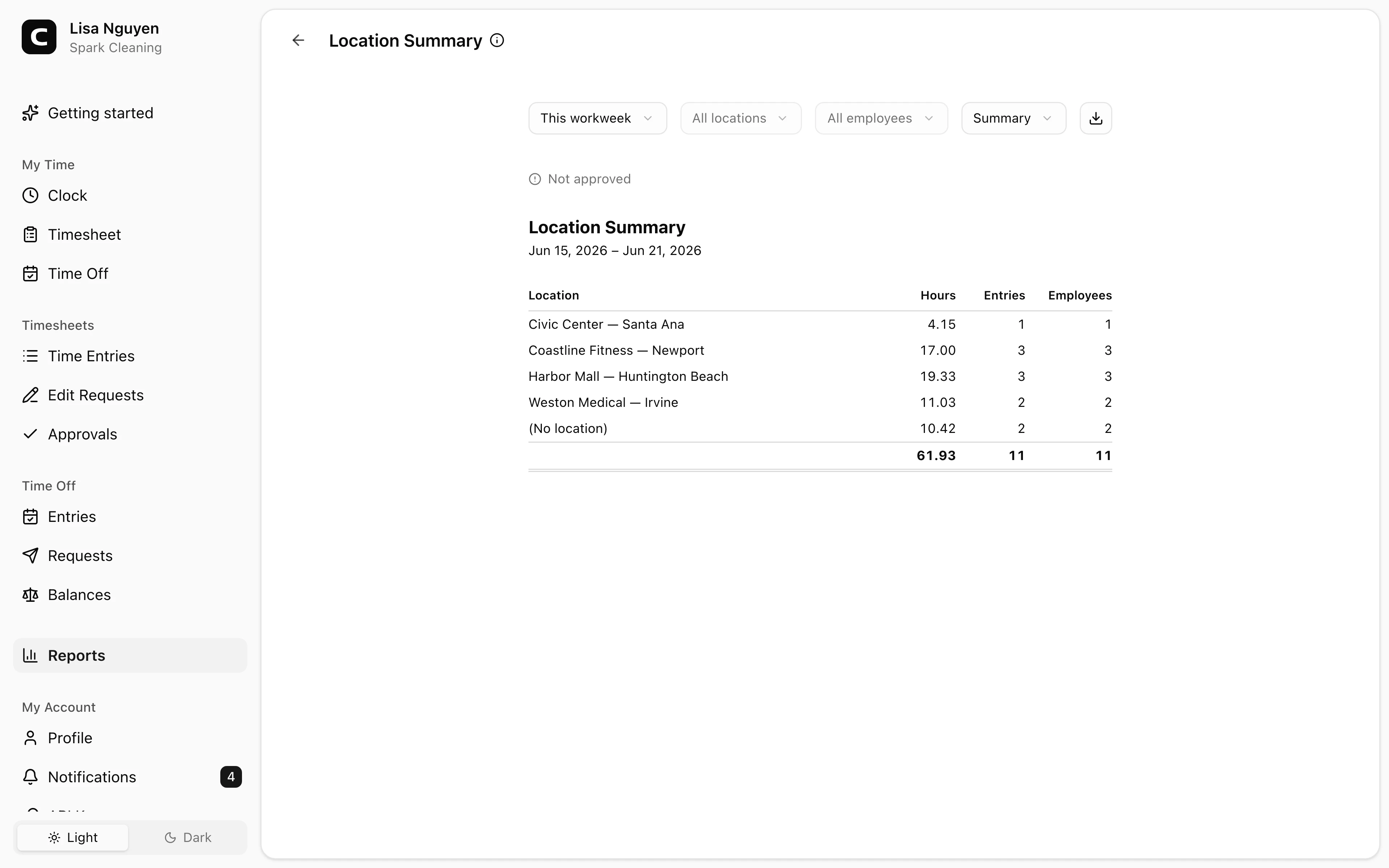
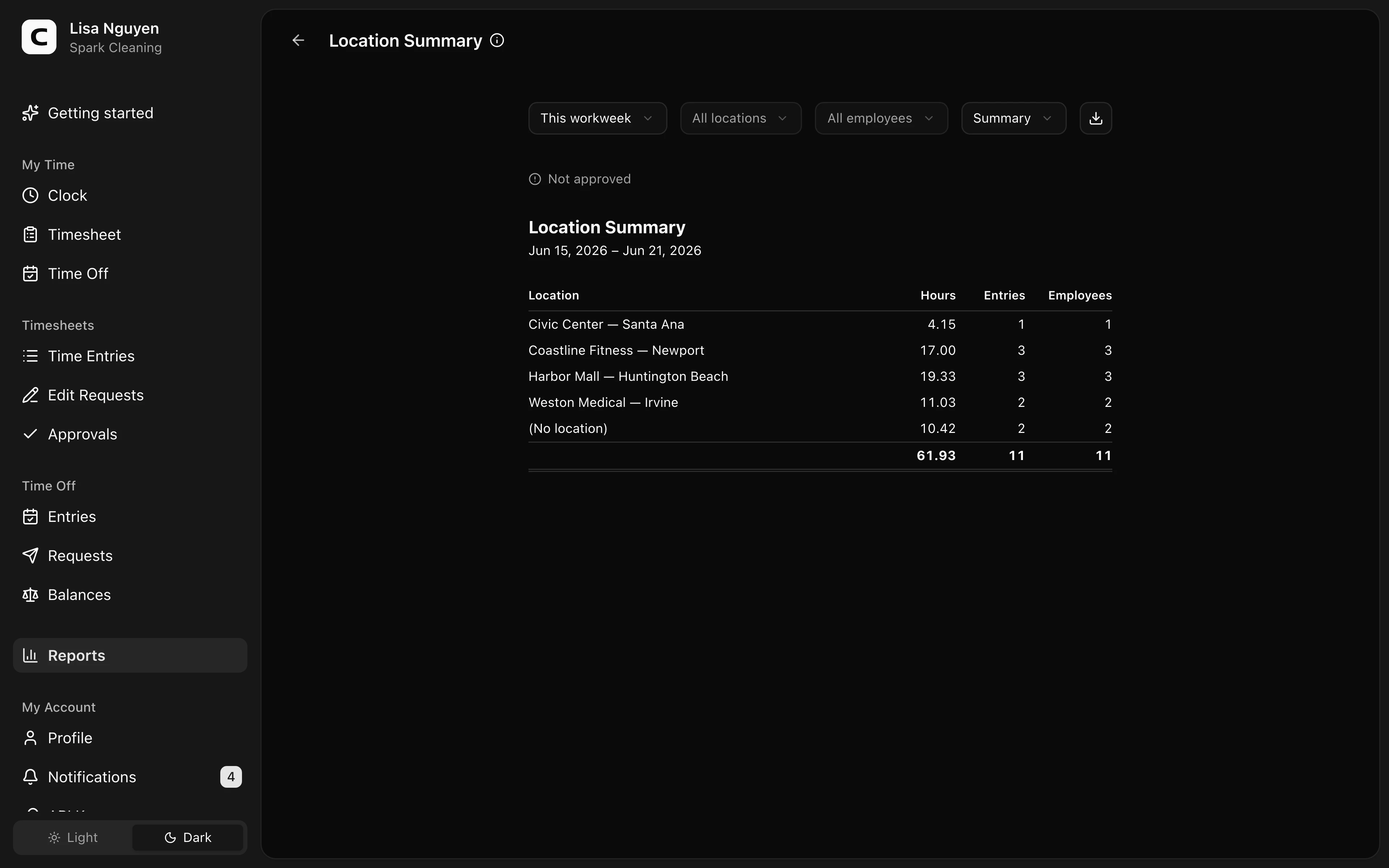
What this report shows
Hours attributed to each Work Site in the date range. Three views:
- Summary (default) — one row per Work Site with Hours, Entries, and Employees (the count of distinct people whose time was attributed there).
- By Work Site — each Work Site with the employees whose time was attributed there and their hours.
- By employee — each employee with their Work Sites and hours.
The summary above the table shows total time, represented Work Sites and employees, and time without Work Site attribution. Time in the app is shown as hours and minutes.
When clock-in and clock-out have different Work Sites, the report groups the entry under clock-in. It uses clock-out only when clock-in has no Work Site. Use Work Site Activity to see both event-specific values.
Filters
Date range, Work Site, employee, and view mode in the toolbar. Above the report, Timesheet approval says whether the employees represented in the report have approval for the full period. If they don't, expand See what needs approval to review each employee's missing dates and status, or open Approvals.
Exporting
The export menu offers Download CSV, Download Excel, and Download PDF. The export includes summary, by-Work-Site, and by-employee tables with numeric hour values for spreadsheet and payroll work.
When to use a different report
- Every clock-in and clock-out, with its Work Site attribution → Work Site Activity
- Where each employee worked by day or Work Site → Work Site Coverage
- Unverified events or conflicting Work Site approvals → Clock Verification
- Individual clock events on a map → Clock Activity Map
Common questions
- Why don't the distinct-employee counts add up across Work Sites?
An employee can record time at more than one Work Site and is counted in each. Per-site counts therefore won't add up to your employee headcount.
- A Work Site has zero hours but I know people worked there.
Check the date range and filters first. If they're correct, those entries may have different or missing Work Site attribution — open Time entries for that period to verify.
Clockspot keeps clock-ins, corrections, approvals, and payroll-ready hours connected so owners and managers can review the workweek before payroll.
Want to simplify how your team tracks time? See how Clockspot works.