Daily Summary
Review one day's workforce activity, including who is working, recorded versus scheduled hours, time off, and exceptions that may need attention.
Questions this report answers
- What needs my attention today?
- Which employees have an open punch or missing time?
- Who worked, was absent, or had time off?
- Who missed scheduled work or worked without a scheduled shift?
- How did scheduled time compare with worked time?
No login required. Opens in one click.
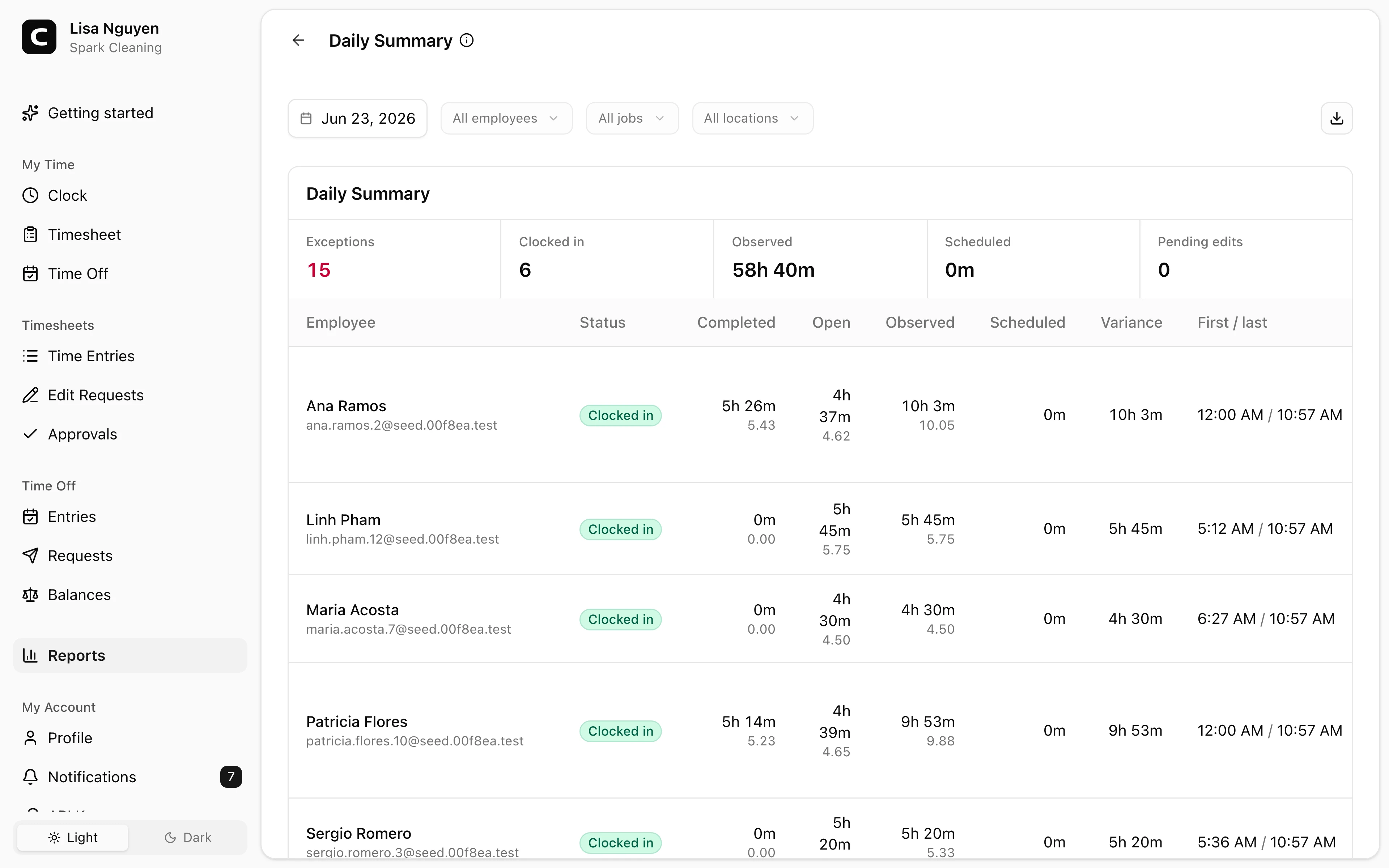
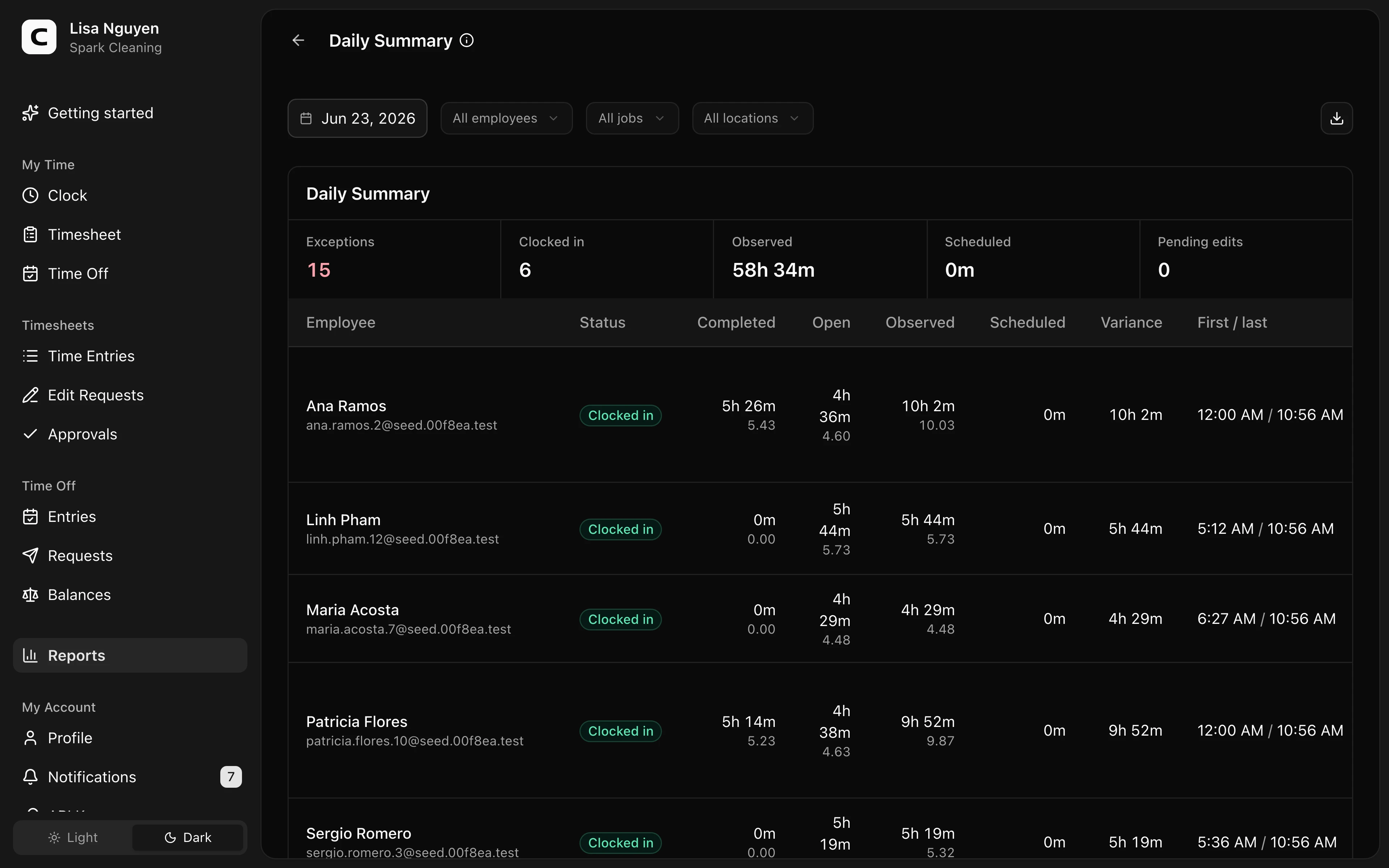
What this report shows
Daily Summary gives Administrators one day's operating view: who is working, each employee's recorded and scheduled time, schedule differences, every shift's own report, open punches, time off, pending edit requests, team updates still waiting on someone, tomorrow's schedule, and anything that needs review. It is the same document the Daily Summary email delivers.
The Day review summary shows Blockers, Warnings, Working now, Employees, Actual time, Scheduled, and Time off. Employee day keeps the full daily record compact by grouping completed and open time under Actual, published shift time and recorded time off under Schedule, and showing Job and Location separately when those facts are present. Employees who are off duty stay out of the table until you check Show everyone, and the section says how many it is hiding.
Additional sections appear only when there is matching data:
- Needs attention puts blockers first, followed by schedule differences, unscheduled work, and pending edit requests
- Shift reports lists every shift worked that day, grouped by work site or job. Each shift shows the employee's own shift note and photos, the result of each work checklist with any items reported as not done, flagged, or failed, the handoff they left for whoever clocks in next, and their mileage
- Open punches shows when each open punch began and how long it has been open. If a punch spans beyond the selected date, In selected day shows the portion within that day
- Time off shows the type, duration, pay status, and note
- Pending edit requests shows the entry, requested fields, job, and employee note
- Team updates lists each update still waiting on acknowledgment, how many recipients have confirmed it, and who has not, with a link to remind them
Tomorrow always closes the report with the next day's schedule: how many shifts are scheduled for how many employees, open shifts nobody is assigned to, shifts an employee has not confirmed, time off, and any handoff waiting at a work site for the first person who clocks in. On a past date the section shows the day that followed it instead.
Filters
Pick the date, then narrow with All employees, All jobs, or All locations. Today's Daily Summary refreshes while it is open and shows the latest refresh time. Past dates are a point-in-time report for the selected day.
Reading actual time
Actual includes completed work plus open-punch minutes as of the report's last refresh. Open-punch minutes stay separate from completed worked time until the employee clocks out.
An open punch on today's report appears under Working now and Open punches. It becomes a missing-clock-out blocker when it remains open on a past day. Clockspot waits until an employee's last published shift ends before marking today's scheduled time as missing or short; time above the full published schedule can be called out earlier.
Exporting
Open the Export menu and choose Download CSV, Download Excel, or Download PDF. The export includes the daily employee rows plus Needs Attention, Open Punches, Time Off, Pending Edit Requests, Shift Reports, Team Updates Waiting, and Next Day tables when those sections have data. Exports carry text only, so a shift's photos appear as a count rather than the images.
Getting it by email every day
Scheduled Reports can send the Daily Summary as an email you read rather than a file you open. The email says the same thing as this page, section for section, so nobody has to open Clockspot to read the day. Turn it on under Settings, then Alerts & reminders, then Daily Summary email.
Common questions
- Why does Actual differ from Completed?
Open punches count toward Actual so managers can see the day in progress as of the last refresh. They do not become completed worked time until the employee clocks out.
- Can this report tell me who arrived late?
No. Daily Summary compares total scheduled minutes from published shifts against actual time. It does not flag late arrivals or early departures. Schedule vs Actual shows missed shifts and the difference for each day.
- Can I get this report sent to me at the end of each day?
Yes. Settings, then Alerts & reminders, then Daily Summary email, then Set up. Check the send time and the recipients, then press Start sending. It arrives every day as an email with shift notes, photos, checklist results, and handoffs, and it stays quiet on days with nothing to report.
- Where do I handle pending edit requests?
Open Edit Requests to approve or reject the request. Use Time entries when an Administrator needs to review the underlying entry.
Clockspot keeps clock-ins, corrections, approvals, and payroll-ready hours connected so owners and managers can review the workweek before payroll.
Want to simplify how your employees track time? See how Clockspot works.