HelpAccount & billing

My Profile

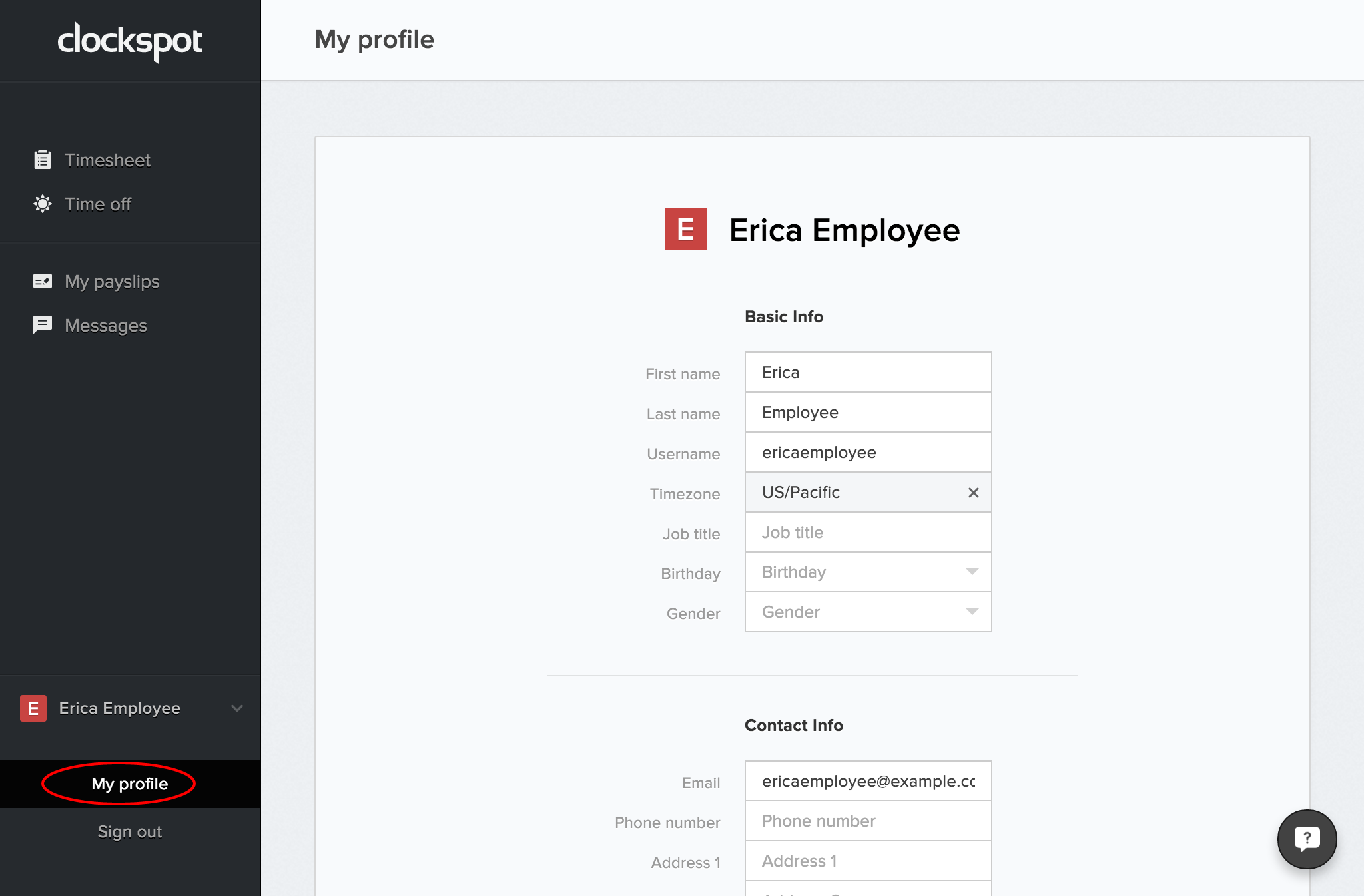
Update your name and contact information, choose your personal display preferences, and keep the details associated with your Clockspot sign-in current.

No login required. Opens in one click.

Clockspot My Profile screen. Update your name and contact information, choose your personal display preferences, and keep the details associated with your Clockspot sign-in current.
Open a no-login Clockspot demo with time entries, edits, approvals, and payroll-ready records.

What you can change

  • Photo — your avatar; it's cropped to a square automatically, so any image works.
  • Display name — the name shown across the workspace.
  • Timezone — used to display times in the app.
  • Locale — controls how numbers, dates, and other formats appear for you.
  • Email — your sign-in email. Changes require confirming a link sent to the new address.
  • Phone — can be verified with a 6-digit SMS code.
  • Address — your mailing address.

Changing your email

Edit the email field and press Send verification. A confirmation link goes to the new address; click it to switch. Your existing email keeps you signed in until you confirm.

Verifying your phone

Enter your phone number, then press Send verification. Clockspot sends a 6-digit code by SMS; enter it to confirm the number.

Common questions

The email confirmation link expired.

Re-enter the email on this page and press Send verification for a fresh link.

My phone verification code didn't arrive.

Confirm the number is correct (including country code) and try again. SMS delivery can take a minute or two.

Can I change my display name?

Yes. Edit the Display name field and save.

About Clockspot

We make employee time clock software for small businesses.

About Clockspot

Clockspot keeps clock-ins, corrections, approvals, and payroll-ready hours connected so owners and managers can review the workweek before payroll.

Want to simplify how your team tracks time? See how Clockspot works.